
Everything you need to run your counter.
Manage your sales easily. Access Sagitta Free smartPOS anytime through Android or the Progressive Web App (PWA).
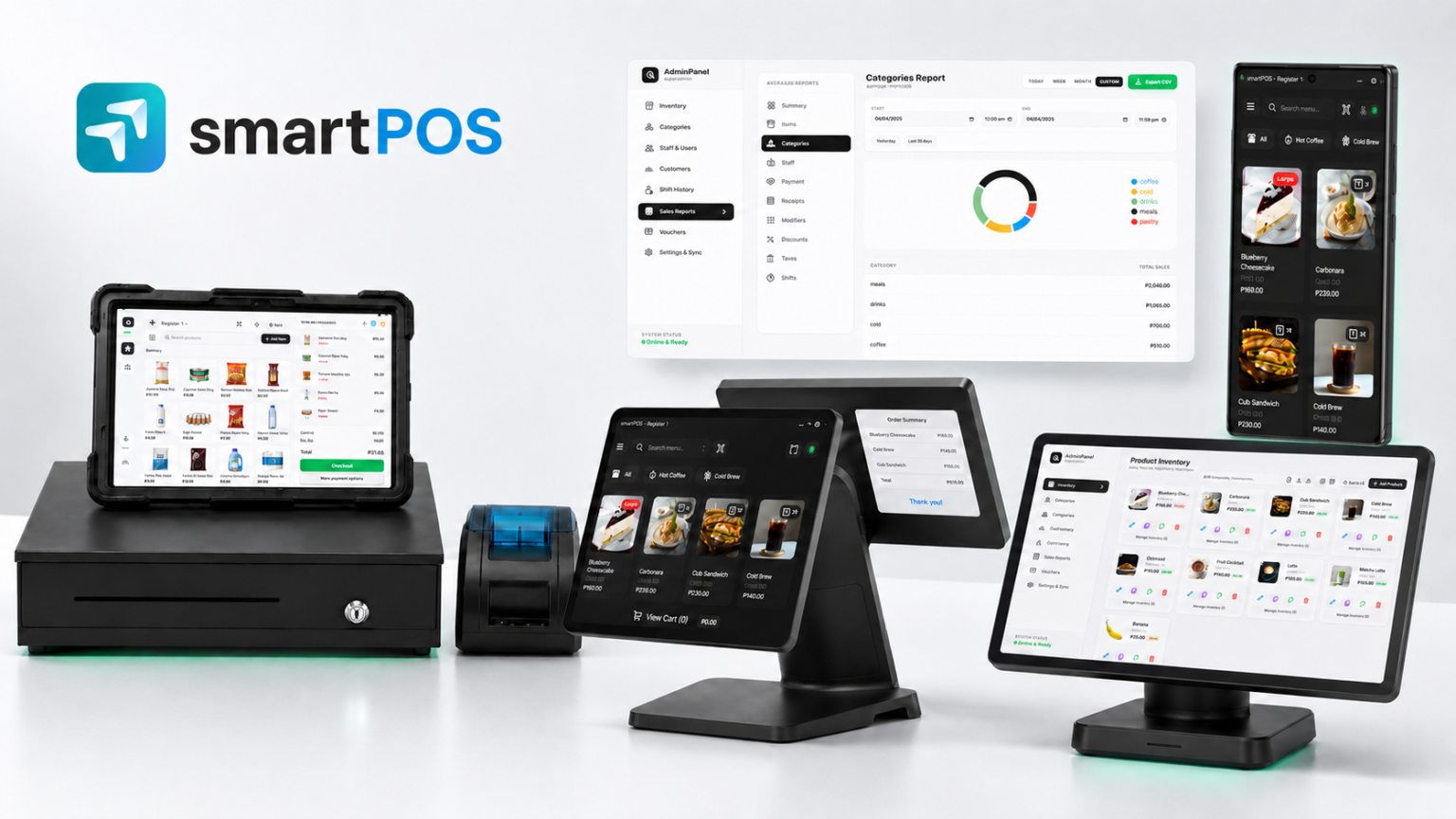
Point of Sale.
14 featuresEverything your cashiers need at the counter — fast checkout for retail and F&B, flexible receipts and clean corrections.
Access Sagitta Free smartPOS anytime on Android (Google Play or Huawei AppGallery) or as a Progressive Web App (PWA).
Keep recording sales even without an internet connection — scan tones and checkout keep working too.
In Retail mode the barcode field stays focused and the cart stays on screen while you scan, so you can fix line 3 of 40 without a pop-up in the way.
Sell in kg, g or L. Cashiers key the amount, prices read “per kg”, and the weight and unit print on the invoice.
Pick a pack size such as a dozen or a case in one tap, or key 12* before a scan to ring twelve at once.
Customers can scan a QR code to save or email their receipt, or receive a printed copy.
Keep bills open and easily manage them until customers are ready to pay.
Let trusted customers charge to account and pay later. See each balance, limit and due date at the till; overdue accounts can be held automatically.
Void a completed invoice with a proper void document, or refund and exchange items. Stock is returned and the approver is recorded.
Easily record cash added to or removed from the register, keeping your cash balance accurate.
X and Z readings show the beginning and ending invoice numbers, period covered, who ran them, and discounts broken down by type.
Switch between light and dark themes for a comfortable viewing experience in any environment.
Role-based access, PIN authentication, encrypted cloud backup, and lightning-fast performance.
Manage products, inventory, sales reports, employees, and settings directly from the POS.
Admin Panel Management.
9 featuresRun the back of your business — products, people, customers and performance — from one place.
Manage products, monitor stock levels, and update inventory directly.
Stock value, reorder list, dead stock, item margins, ABC analysis and shrinkage — all exportable to PDF.
Organize products and services into categories for easier management and faster checkout.
Add and manage as many staff members and user accounts as your business needs, with no limits.
Store and manage customer details, purchase history, and contact information.
Track cashier sessions, review shift activity, and reconcile cash accurately at the end of each shift.
Sales by item, category, staff, payment type and modifier, plus discounts, taxes, receipts and shifts.
Create, issue, and redeem vouchers directly from your POS to reward customers and encourage repeat purchases.
Step-by-step tours in Getting Started walk you and your staff through setup and new features.
Configuration Settings.
7 featuresSet smartPOS up the way your store works — store type, receipts, taxes, printers, payments and discounts.
Customize your store name, address, currency, language, and other business details displayed on customer receipts.
Choose Retail or F&B once and smartPOS sets tables, order types, kitchen display and guest count for you. Fine-tune any of them later.
Set up and manage tax rates for your products and services to ensure accurate calculations on every sale.
Connect receipt printers via USB, Bluetooth, WiFi or Ethernet — including several identical USB printers at once.
Accept cash and card payments for quick and straightforward checkout.
Senior Citizen, PWD, National Athlete/Coach and Solo Parent — with the holder’s name, ID and signature line on the invoice and VAT exemption handled.
Reward customers with points, discounts, or special offers to encourage repeat purchases. Or easily connect the ETAYO Loyalty Rewards program.
Displays & Apps.
4 featuresExtra screens and companion apps that connect to your POS — for customers, the kitchen and the owner.
A free customer-facing screen that follows the order in real time, with multi-currency support. Learn more
Give the kitchen a free, real-time view of incoming orders, paired in one tap from Settings. Learn more
A number on every receipt, a board showing Preparing and Ready, and a QR code customers scan to follow their order on their phone — no app needed.
Let the owner watch the POS from their phone, with alerts when a terminal goes offline or a till hasn’t rung a sale in over an hour.
BIR-ready Receipting.
5 featuresInvoices, readings and records built around the BIR requirements for CRM/POS in the Philippines.
Print your TIN, MIN, Accreditation No., PTU and Business Style on every invoice.
Each Senior Citizen, PWD, National Athlete/Coach and Solo Parent discount captures the holder’s name and ID, with a signature line on the invoice.
X and Z readings with beginning and ending invoice numbers, reset counter, voids and refunds reported separately — and backups can’t roll back invoice numbers.
Every document kept exactly as printed and exportable as .txt, plus a readable log of every activity with before-and-after values.
BIR Sales Summary plus separate sales reports for Senior Citizen, PWD, National Athlete and Solo Parent.
smartPOS prints the BIR details you enter under Settings → Company Profile. Accreditation and your Permit To Use are issued to your business by the BIR.
Pro Features.
10 featuresUnlock more with a Monthly or Annual Plan — branding, advanced payments, charges, tables, labels and cloud backup.
Choose icons for product and service categories to make them easier to identify and access during checkout.
Personalize your business profile with your own logo and custom header and footer information for receipts.
Add custom payment options such as e-wallets, QR payments, and cryptocurrency, with fields for reference and approval codes.
Accept QR Ph payments straight into your own PayMongo account.
Create preset discounts, including special member discounts, for quick and consistent application at checkout.
Set up packaging, delivery, corkage or any charge you need. Cashiers add them at the till and each prints on its own line.
Apply a service charge automatically to the order types you choose.
Assign and transfer tables, hold orders, and generate order slips for smooth and efficient service.
Print barcode and product labels on TSPL label printers.
Keep your business data secure with cloud synchronization, database backups, and easy data restoration whenever needed.
Built for more than retail.
3 industriesSwitch smartPOS into a venue mode for rooms, timed play or courts — available on Pro plans.
Short-time and overnight stays, billed on one invoice at checkout.
- Extensions & overtime
- Room transfers
- Deposits & reservations
- Rooms report
Timed billing for billiards and KTV.
- Rounding & minimums
- Pauses
- Peak rates
Run your courts from the same POS.
- Bookings & walk-ins
- Open play
- Memberships & passes
- Courts report
Ready when you are.
Turn any phone or tablet into a POS with the free Starter plan, then add hardware whenever you need it.